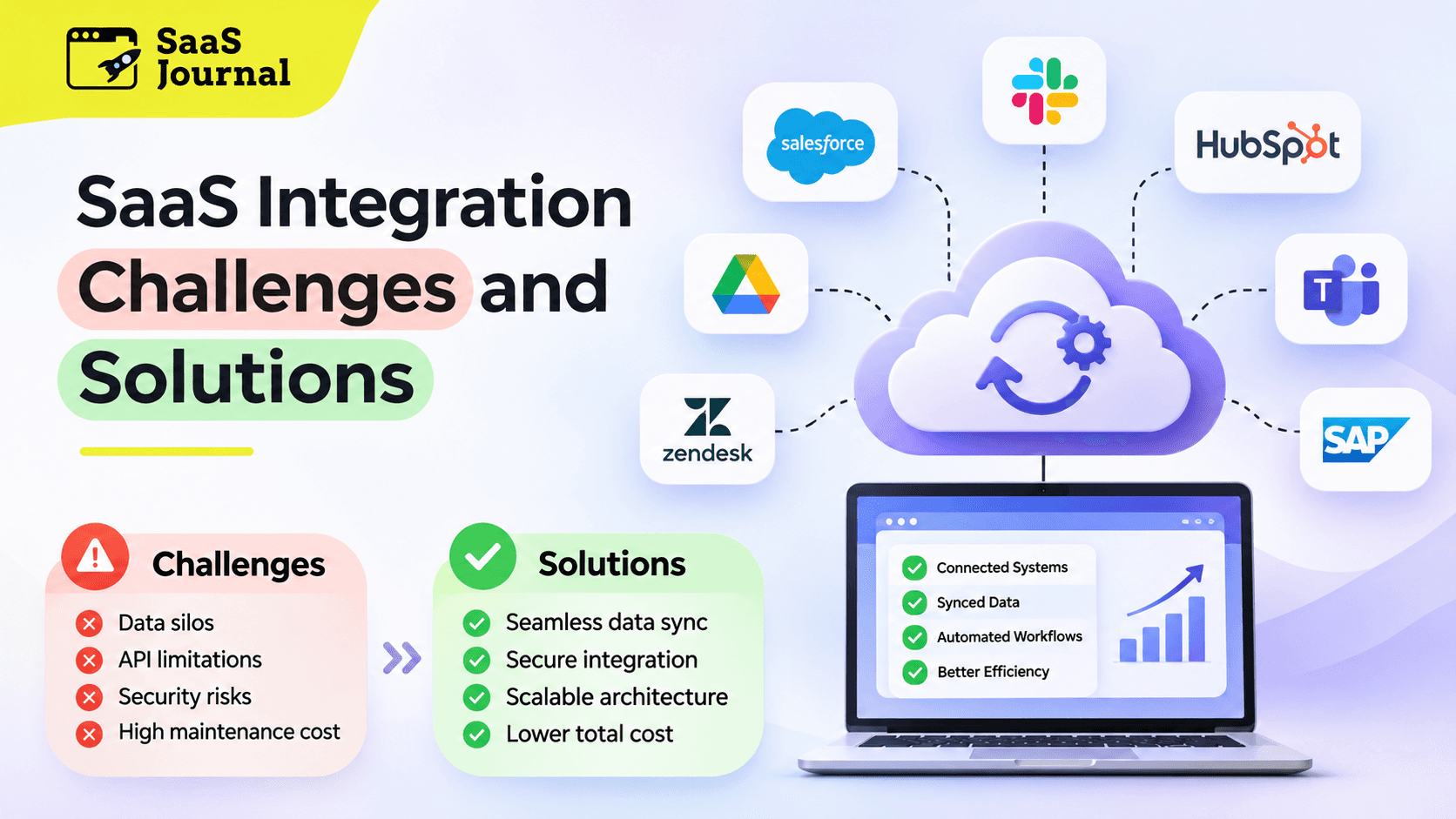
Software as a Service (SaaS) has transformed how businesses manage operations, communicate, and deliver customer experiences. From customer relationship management to accounting and project management, organizations increasingly depend on multiple cloud applications.
However, using several SaaS platforms creates an important challenge: making these systems work together effectively.
When applications operate independently, businesses face disconnected information, duplicated tasks, inconsistent reporting, and unnecessary operational costs. These issues can reduce productivity and limit the benefits of cloud technology.
Understanding SaaS integration challenges and solutions helps organizations build connected systems that support efficiency, security, and sustainable growth.
This guide explores common integration obstacles, practical solutions, and strategies for creating reliable connections between business applications.
What Is SaaS Integration?
SaaS integration is the process of connecting cloud based software applications so they can exchange information and automate business processes.
For example, a business might connect its CRM platform with marketing automation software, customer support tools, and accounting applications.
When a customer completes a purchase, integration can automatically update their account, generate an invoice, and notify the appropriate team.
Without integration, employees may need to manually transfer information between applications, increasing the likelihood of mistakes.
Modern SaaS integration typically uses application programming interfaces, webhooks, middleware, or specialized integration platforms.
The objective is to create a connected technology environment where information moves accurately, securely, and efficiently.
Why SaaS Integration Matters for Businesses
Businesses adopt SaaS applications to improve productivity and flexibility. However, these benefits become more valuable when systems communicate effectively.
Successful integration eliminates repetitive activities, improves information accessibility, and creates more consistent operational processes.
For example, connecting sales and customer support platforms allows service representatives to understand previous interactions without requesting information repeatedly.
Similarly, integrating financial applications with reporting systems helps business leaders access updated financial information.
Effective integration also supports business scalability. As organizations expand, automated workflows reduce dependence on manual processes.
However, integration requires careful planning because connecting multiple systems introduces technical, operational, and security challenges.
1. Data Silos and Inconsistent Information
One of the most common SaaS integration challenges is managing information across disconnected applications.
Different departments frequently maintain separate customer records, transaction histories, and operational databases.
When these systems are not connected, employees may work with outdated or conflicting information.
For example, a customer might update their contact details in one application while another system continues displaying the previous information.
These inconsistencies can negatively affect reporting, personalization, and customer satisfaction.
Solution: Establish Centralized Data Management
Organizations should define a reliable approach to data synchronization and ownership.
Identify authoritative sources for important information, such as customer profiles, billing records, and product details.
Use integration tools to synchronize relevant updates between applications automatically.
Implement data validation rules to identify incomplete records, incorrect formats, and duplicate entries.
Regular audits can help maintain consistency and ensure that connected applications use reliable information.
A well structured data strategy creates a stronger foundation for automation and analytics.
2. API Compatibility and Technical Limitations
Application programming interfaces enable software systems to exchange information.
However, SaaS vendors use different API structures, authentication methods, data formats, and technical requirements.
Some platforms offer extensive integration capabilities, while others restrict access to particular functions.
API rate limits can also restrict the number of requests applications process within a specified period.
These limitations may cause synchronization delays or prevent certain workflows from operating correctly.
Solution: Choose Flexible Integration Methods
Before connecting applications, review available APIs and technical documentation.
Evaluate supported functions, authentication requirements, rate limits, and expected data volumes.
Where suitable, use integration platforms that provide prebuilt connectors for commonly used applications.
Businesses with specialized requirements may benefit from custom API connections.
Developers should also implement appropriate error handling, request retries, and monitoring.
Regular compatibility testing helps identify problems before they affect business operations.
3. Security and Data Privacy Risks
Connecting SaaS platforms creates additional pathways through which sensitive information can travel.
Customer details, financial records, employee information, and confidential business documents may move between multiple services.
Poorly configured integrations can expose information to unauthorized users or third party applications.
Security risks increase when integrations receive excessive permissions or rely on poorly protected credentials.
Regulatory requirements may also influence how organizations collect, process, retain, and share information.
Solution: Implement Strong Security Controls
Use encryption to protect information during transmission and storage.
Apply role based access controls and grant integrations only the permissions necessary for their intended functions.
Choose secure authentication mechanisms, including OAuth where appropriate.
Protect API credentials, monitor unusual activity, and review connected applications regularly.
Organizations should also evaluate vendor security practices and applicable regulatory obligations.
A comprehensive security strategy helps protect sensitive information while supporting reliable connectivity.
4. Complex Legacy System Integration
Many organizations operate older applications alongside modern cloud software.
These legacy systems may contain important business records but lack modern APIs or flexible integration capabilities.
Connecting them with SaaS applications can require specialized development and additional infrastructure.
In some cases, outdated technology creates compatibility issues that make direct integration difficult.
Replacing legacy platforms immediately may also be expensive or operationally disruptive.
Solution: Adopt Middleware and Phased Modernization
Middleware can act as a communication layer between older systems and modern applications.
It helps translate data formats, coordinate workflows, and facilitate information exchange.
Organizations should prioritize essential business processes rather than attempting to connect everything simultaneously.
A phased implementation approach reduces disruption and allows technical teams to test connections carefully.
Where necessary, businesses can gradually modernize legacy applications while maintaining important operational functions.
5. Data Synchronization Delays
Businesses often expect information to move immediately between connected applications.
However, synchronization may be delayed by network problems, API restrictions, processing workloads, or system availability.
These delays become particularly problematic when operations depend on timely information.
For example, outdated inventory records may result in incorrect product availability, while delayed payment updates can interrupt financial reporting.
Solution: Improve Synchronization Architecture
Determine which workflows require real time updates and which can operate through scheduled synchronization.
Use webhooks or event driven integrations when supported and appropriate.
Implement message queues to manage processing workloads and prevent temporary failures from causing permanent data loss.
Track synchronization delays and create alerts for unsuccessful transfers.
Organizations should also establish procedures for reconciling records after interruptions.
Reliable synchronization requires balancing speed, accuracy, system capacity, and business priorities.
6. High Integration and Maintenance Costs
SaaS integration projects can become expensive when organizations underestimate technical complexity.
Custom development, vendor subscriptions, implementation services, employee training, and ongoing maintenance contribute to total costs.
Integrations also require updates when software providers change APIs or introduce new authentication requirements.
Without appropriate planning, maintenance expenses can increase as businesses connect additional applications.
Solution: Evaluate Total Cost of Ownership
Begin by identifying the business value each integration should deliver.
Compare native integrations, integration platforms, and custom development based on functionality, flexibility, and long term costs.
Prioritize connections that eliminate significant manual work or improve essential business processes.
Use reusable components where practical and document technical dependencies.
Budget for monitoring, maintenance, security reviews, and future updates.
This approach helps organizations make informed technology investments rather than focusing exclusively on initial implementation expenses.
7. Scalability and Performance Challenges
An integration that works effectively for a small business may struggle as transaction volumes increase.
Growing organizations generate more customer records, financial transactions, and operational events.
Additional applications and complex workflows can also create performance bottlenecks.
When integrations cannot handle increased demand, businesses may experience slower processing, failed requests, and operational interruptions.
Solution: Build Scalable Integration Architecture
Design integrations with future workloads in mind.
Use modular components that can be updated independently without disrupting unrelated systems.
Consider asynchronous processing for activities that do not require immediate responses.
Monitor request volumes, processing times, error rates, and infrastructure utilization.
Test integrations under realistic workloads before expanding their use.
Scalable architecture allows organizations to accommodate growth while maintaining consistent performance.
8. Limited Visibility and Troubleshooting
Integration failures are not always immediately visible.
Information may stop transferring between applications while employees continue using systems normally.
Without effective monitoring, businesses may discover problems only after customers report errors or operational reports become inaccurate.
Troubleshooting becomes more difficult when several applications participate in the same workflow.
Solution: Implement Monitoring and Observability
Establish centralized monitoring for important integration processes.
Track successful transfers, failed requests, processing delays, and authentication errors.
Use structured logs and transaction identifiers to trace information across systems.
Configure alerts for critical failures and assign responsibility for investigating incidents.
Document recovery procedures so technical teams can restore services efficiently.
Greater visibility helps organizations detect issues earlier and reduce the impact of integration failures.
9. Vendor Dependency and Platform Changes
SaaS providers regularly update their applications, pricing structures, APIs, and service policies.
These changes can affect existing integrations even when businesses have not modified their own systems.
Organizations that depend heavily on proprietary connectors may also face difficulties when switching software vendors.
Solution: Reduce Unnecessary Dependencies
Select vendors that provide transparent documentation and dependable integration capabilities.
Use established standards and portable data formats whenever possible.
Maintain records of external dependencies and monitor important vendor announcements.
Test significant updates in controlled environments before deploying changes.
Create contingency plans for critical integrations and avoid unnecessary reliance on a single provider.
This strategy improves flexibility and reduces exposure to unexpected platform changes.
10. Employee Adoption and Workflow Changes
Technical integration alone does not guarantee business success.
Employees may continue following established manual processes even after automated workflows become available.
Unclear responsibilities, unfamiliar interfaces, and inadequate training can limit adoption.
Consequently, organizations may invest in connected systems without achieving expected productivity improvements.
Solution: Support Organizational Change
Involve relevant employees during integration planning.
Understand existing workflows and identify activities that would benefit from automation.
Provide practical training that explains how connected applications simplify everyday responsibilities.
Assign process owners and create accessible support documentation.
Collect employee feedback after implementation and improve workflows where necessary.
Successful adoption ensures that technical improvements translate into meaningful operational benefits.
Best Practices for Successful SaaS Integration
Organizations can reduce integration risks by following a structured implementation strategy.
Start by reviewing existing software applications and identifying the information each system manages.
Define business objectives before selecting integration technologies.
Prioritize high value workflows, establish clear data ownership, and document technical requirements.
Evaluate security considerations during planning rather than treating them as final implementation tasks.
Test connections using realistic scenarios, including incomplete records, unexpected responses, and temporary service failures.
Introduce integrations gradually and monitor their performance after deployment.
Regularly review permissions, operational costs, vendor changes, and evolving business requirements.
Most importantly, treat integration as an ongoing business capability rather than a one time technical project.
The Future of SaaS Integration
SaaS integration continues evolving as businesses adopt automation, artificial intelligence, and increasingly connected software environments.
Low code integration platforms are making certain workflows easier to create and manage without extensive custom development.
AI assisted tools may also help developers identify data mapping issues, investigate errors, and recommend workflow improvements.
Meanwhile, event driven architectures and standardized APIs can support more flexible communication between applications.
However, increased automation also makes reliable governance, security, and monitoring more important.
Organizations that invest in adaptable integration foundations will be better positioned to introduce emerging technologies without creating unnecessary complexity.
Conclusion
SaaS integration plays an essential role in building efficient, connected business operations.
Although challenges involving data consistency, API compatibility, security, scalability, and maintenance can complicate implementation, practical solutions are available.
Organizations should begin with clear objectives, choose suitable integration methods, and establish reliable data management practices.
Strong security controls, continuous monitoring, and thoughtful employee training further improve implementation outcomes.
Rather than connecting applications simply because integration is possible, businesses should prioritize workflows that create measurable value.
With careful planning and ongoing management, SaaS integration can reduce manual effort, strengthen collaboration, improve decision making, and support sustainable business growth.